










Playbook
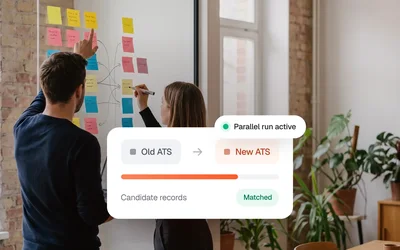
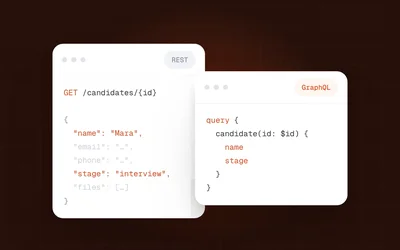
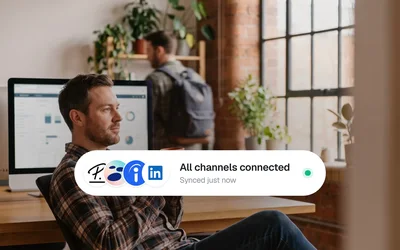
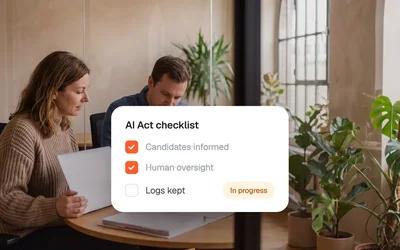
ATS Migration Without Data Loss
Your clients keep the ATS they already use. Kini brings their jobs into one workspace under your brand and files every candidate you submit in that client's system, with a sync status for each record.
A new client means a new system, new credentials and new fields. Until they are connected, jobs and candidates move by copy and paste.
System, credentials, field names and quirks differ from client to client. Each one turns into its own small project.
The credentials belong to your client. Often their ATS admin or vendor has to create them first, and you wait.
A client posts a job in their ATS, and someone on your team types it into your system again.
Your recruiter finds the right candidate and then retypes the profile into the client's ATS, field by field.
Each client gets its own connection, set up once. Jobs come in from that client's ATS, and every candidate you submit goes back to it. Kini keeps them apart and connected at the same time.
Kini is the managed connectivity layer between a recruiting agency and its clients' ATS. Each client connects their system once. Kini brings the jobs into the agency's workspace and files every submitted candidate in that client's ATS, with a sync status per record.
Kini Core does the connecting and the upkeep. Your team spends its time on clients and candidates.
Your clients can bring any of the 75+ ATS Kini supports. You see all of them in one workspace under your brand, with no upper limit on clients.
You send a Magic Link with a guide. Your client enters their own credentials, so you never see them.
Submit a candidate once. Kini files it in the ATS the job came from and shows a sync status for every record.
Self-service works, and people are there when you need them. When a client wants a technical answer, the Kini team joins the call.
No engineering backlog. No manual data handling. Just a working connection between your tools.























Each feature has its own chapter. Start with the one your team asks about first.
Switch between clients and see which system each one runs and where it stands. The workspace runs white-label on your own domain.
Company switcher and a client list with Active, Invited and Requested.
Sync status per client, with real errors shown on their own.
Re-sync a single client with one click.
You send a Magic Link from your workspace. Your client picks their ATS, enters the credentials and goes live after a test application.
The connection is set up in minutes once we have the credentials.
If credentials change later, you send a new Magic Link from the client's page.
After your first clients, you invite new ones yourself, and Kini checks and activates each connection.
When a client posts a job in their ATS, it shows up in your workspace with the client's name. Clients without a usable ATS connect through their career page or add jobs by hand in Kini.
Jobs from the connected ATS of each client.
Career page crawling for clients without a usable API.
Jobs added by hand in Kini when there is no system at all.
Every submission goes into the ATS the job came from. When a client's ATS already knows the candidate, the submission is marked EXPECTED_FAILURE.
The job came from Vektra Engineering's Personio. That is where the candidate goes.
Lindhoff Hotels runs Recruitee. The same step from you ends up there.
Brandt & Partner works in JOIN. You submit the same way as for every other client.
The client's ATS keeps one record of the person. Kini notes the rejected copy without counting it as an error.
Filed in Personio for Vektra Engineering.
Filed in Recruitee for Lindhoff Hotels.
Filed in JOIN for Brandt & Partner.
The client's ATS already knew the candidate. No duplicate was created.
Every submission carries its own sync status.
A candidate the client's ATS already knows is marked EXPECTED_FAILURE with DuplicateApplicationError.
Failed syncs are retried automatically and keep a clear status.
What belongs to a client stays with that client, from the invoice details to the credentials.
Separate billing details per client, with VAT ID and cost centre.
Bookings for a client carry that client's billing details.
Credentials are stored encrypted per client and never returned by the API.
Kini Shop builds on the connection you already have. Book a single ad or run several jobs as a campaign.
1,500+ job boards, including the Federal Employment Agency.
Campaigns on platforms like Indeed.
Kini Core and Kini Shop work together or on their own.
Every ATS has its own page that shows what flows in each direction. If a client's system is missing, you request it from the picker.

Feeds as XML or JSON when a client has no API.
A missing system can be requested from the picker.
If needed, Kini builds a custom connector with mapping.
From enterprise HR platforms to lean recruiting boutiques. Teams use Kini to connect their tools without involving engineering. Here's what they say.

"Kini publishes our customers' jobs automatically and links them to their ATS. Lots of manual work is gone."

"Kini brings our customers' jobs into CareerOS automatically. We choose which ones are relevant."


"Kini moves candidates from Juucy straight into our customers' ATS. Our tech team stays on the core product."

"With Kini, our customers post jobs to the Bundesagentur für Arbeit automatically. Most manual upkeep is gone."


Your team's upkeep stays the same as you add clients. Kini keeps every connector current, and a person from the Kini team steps in when retries do not fix a sync.
When an ATS vendor changes its API, Kini updates the connector once, for every client on that ATS.
Start one client's sync again on its own. The other clients keep running.
The client relationship stays with you. The Kini team joins a call when you bring them in.
Status emails to your clients are sent by Kini under Kini's name.

180days
Applicant data in Kini is deleted or anonymised after 180 days, for every client.
Each client enters their own ATS credentials. Kini keeps them encrypted in transit and at rest.
Kini sends the template early, so each client's legal review runs alongside the setup.
The questions agencies ask before they connect their clients.

The same single axis applies: you pay per integrated end-customer, so cost scales with the client base you actually connect. Tier discounts apply at integration level, which means the per-client price falls as your portfolio grows.
No. With magic-link onboarding your end-customer enters their own ATS credentials through a link you generate, so you never see them. For some systems the customer's ATS admin or vendor has to create the credentials first, for example an API key or a certificate. If you already hold credentials, you can enter them yourself, alone or together with the customer during a call.
A magic link is a link you send to an end-customer so they can connect their own ATS. Credentials go directly to Kini and never touch your systems. Setup guides with screenshots exist for many ATS, and we join onboarding calls when you want us there.
Each connected company is addressed by its own company_id, and the Partner App shows a company switcher plus a customer table with lifecycle states such as Active, Invited and Requested. Sync icons in that list show at a glance whether each customer's connection is healthy.
Open the customer in the Partner App, generate a new magic link and send it to the customer. They enter the new credentials, and the connection continues. For SAP SuccessFactors, Kini issues a new certificate on request.
Credentials are managed per end-customer inside Kini Core, stored as encrypted secrets and never returned by the API. With magic-link onboarding the customer enters them directly, so they never pass through your systems. Your API keys are separate: you create them with an expiry and revoke them yourself in the Partner App.
Both. The onboarding wizard gives you two paths: enter credentials yourself, alone or with the customer on a call, or send a magic link and let the customer do it. The partnership starts guided with a call; after that, you invite customers yourself, and Kini checks and activates each new connection.
The API is not idempotent: every POST creates a record. So send your own partner_application_id with each submission and check before retrying. When the customer's ATS rejects an already-known candidate, Kini marks the application EXPECTED_FAILURE with failure_error DuplicateApplicationError rather than treating it as a real error.
The product hub, the resource library, every integration we connect to, the full FAQ and the docs maintained by the team. Five places that might hold the answers you are searching for.
Sync engine, mapping logic, error handling. Each page shows the data flow with concrete examples.
What teams ask before, during and after connecting to Kini: setup, integrations, mapping, pricing and support.
Playbooks, technical guides, news and events from the Kini team, updated and kept honest.
Each integration page lists setup time, the fields synced, known limits and the team's recommended config.

Topics: getting started, integrations, data sync, migration, pricing. Migration questions get asked the most.

Setup walkthroughs, API reference, webhook payloads and integration guides. Updated with every product release.