









Playbook
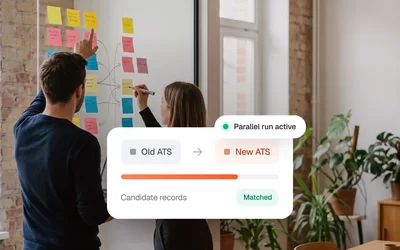
ATS Migration Without Data Loss
Kini is the managed connectivity layer between ATS, agencies and job boards. You connect once, we take over monitoring and maintenance.
Managed recruiting connectivity is an integration layer between ATS systems, recruiting agencies, and job boards. Unlike a unified API, it does not require the source system to speak REST: Kini adapts to whatever each system offers, while the partner keeps a single connection. It includes monitoring, recovery, and per-record sync status.
In practice: a Kini integration is shipped, monitored, and recovered by the same platform that built it. The integration is not a project. It's a running service with an owner.
Kini Shop builds on Kini Core, and both run on the same operating layer. Use them together or either on its own.
Kini Core connects 65+ ATS and the job boards behind them through one managed layer. You connect once. We run what sits behind it.


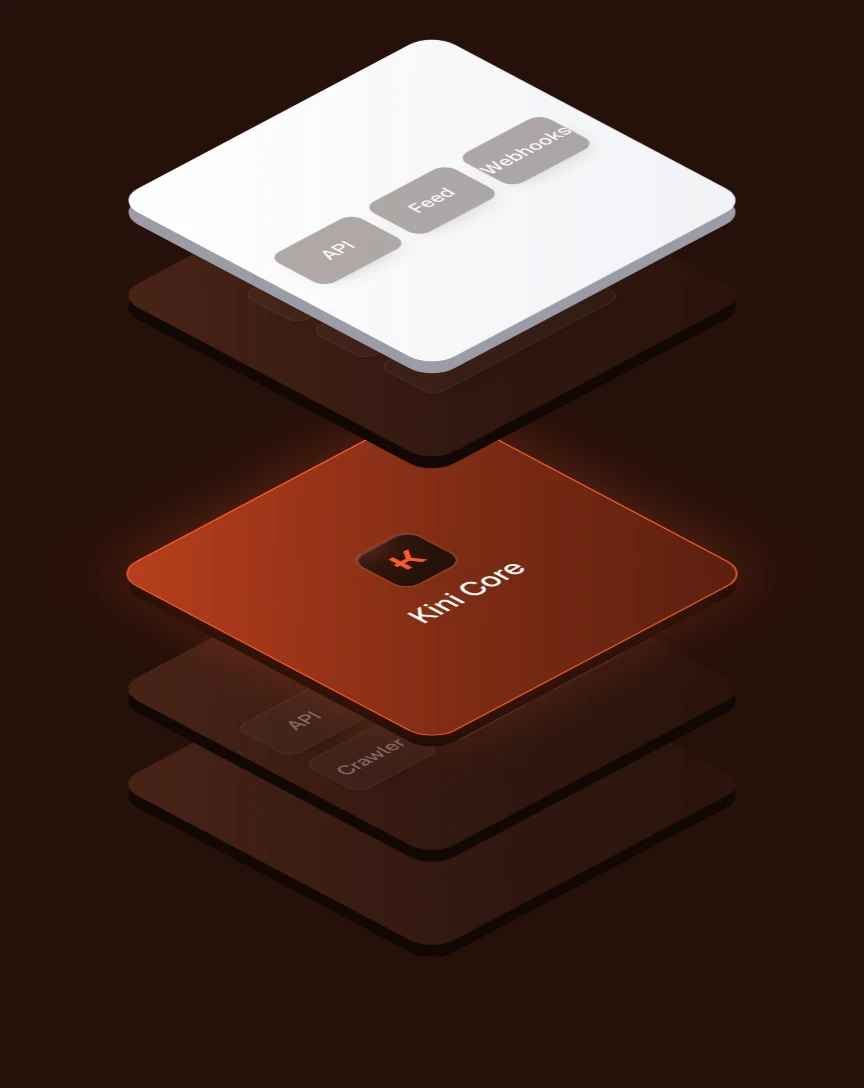
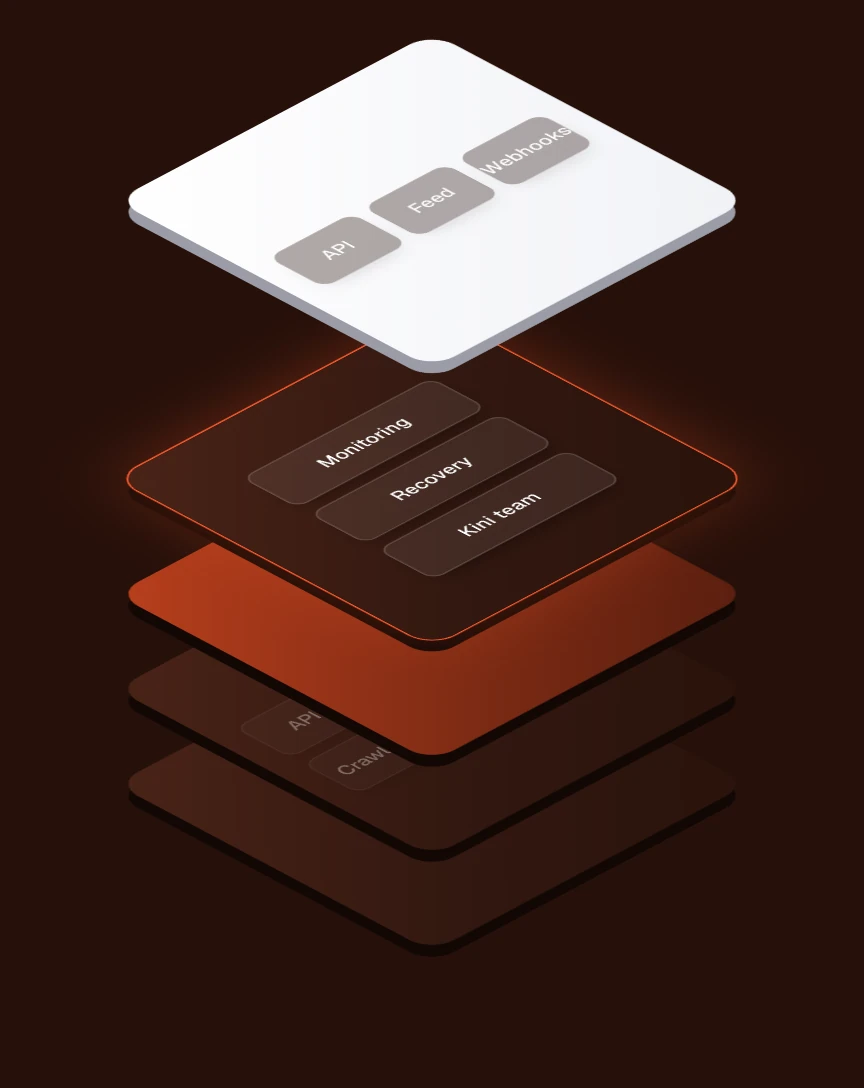

API, feeds, email, crawler or custom. The list stays open: when a system needs a new path, we add one. Your side stays one connection.
If a source delivers empty or wrong data, Kini does not pass it on.
Retries first, then a replacement path. If that fails too, our team takes over.
One operator account for all your end customers: their credentials, mappings and sync status in one place, white-label on your own domain.
One operator account for all your end customers
Credentials and mappings kept per customer
White-label on your own domain




Data processing on EU servers. Applicant data is deleted or anonymised after 180 days.
Kini Shop builds on Kini Core. Choose from 1,500+ job boards and promote jobs with one click or as a campaign. Both run on the same operating layer.


Your customer gets a Magic Link with a guide for creating credentials in their ATS. If someone gets stuck, we join the call.
Connect your ATS so your jobs and applications sync. A step-by-step guide shows you how to create the credentials.
Five parts make up the platform. Each one is operated by us, and all of them run on the same layer.
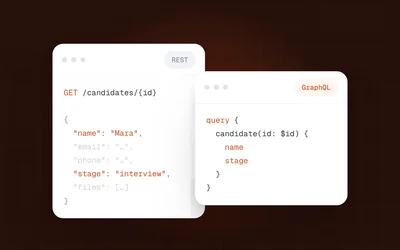
A unified API only works if the other system speaks REST. Kini Core doesn't need it to. We adapt to whatever each system can do, and you keep a single connection on your side.
However a system can be reached. The list stays open.
Documented APIs, where a system offers them.
Structured XML or JSON feeds. XML is how Personio exchanges jobs, for example.
Applications arrive at dedicated inboxes, sorted by job board, and Kini turns them into structured records.
Where there is no API or feed, Kini crawls the published jobs from the career page.
Mappings and field transformations for systems that don't fit a standard.
When a system offers no interface at all, Kini AI does the adapting.

Everything arrives here. Mapped, normalized and monitored before it reaches you.
Every ATS speaks its own dialect. Your team builds and maintains a separate connector for each one.
Exactly one connection, in the format that fits your stack, no matter how many systems sit behind it. One API key per partner.
The operating layer is the work after go-live: watching the data, recovering from failures, telling you what happened. It runs under every Kini Core integration.

Source returned an empty job list
If a source delivers empty or wrong data, Kini does not pass it on. Your customers don't open their account to zero jobs because something upstream broke.
Empty or wrong data is held back
Live jobs stay unchanged
No accounts with zero jobs

Unusual sync volumes and failed syncs get flagged while they happen. Anomaly detection runs live in production.
Unusual sync volumes get flagged
Failed syncs flagged as they happen
Runs live in production

First, retries with backoff. If the primary path fails for good, Kini delivers another way, for example through Kini AI. Each application shows its sync status.
Retries with backoff
Delivery over a replacement path
Sync status for each application

Escalation to a human is part of the service, not an exception. You can handle things yourself, and our team steps in when you need it.
Escalation is part of the service
Handle things yourself if you like
Our team steps in when you need it

A defined catalog of events, delivered by webhook or email and set per partner and end customer. A closed position is not a broken sync, so you can subscribe to real errors only.
Delivered by webhook or email
Set per partner and end customer
Subscribe to real errors only

Partners get status updates by webhook and can show them in their own product. End customers see it by email and in the dashboard. Sync cadence is set per customer.
Webhook updates for partners
Email and dashboard for end customers
Sync cadence set per customer
Note: notification emails come from Kini, not from your brand.
Reliability isn't a feature. It's the platform. And when the platform can't fix it, a person does.
Agencies, job boards and ATS providers serve many end customers, each with their own systems, credentials, mappings and quirks. Kini keeps them apart, and in one place.

Create customers, store credentials securely and manage each integration under one operator account. No customer-side engineering required.
The workspace and the shop run white-label: your own custom domain, your own branding. Your customers see your product. Kini is the layer underneath.
Secure onboarding via Magic Link: customers pick their system and enter credentials. No shared spreadsheets, and if a customer would rather be walked through it, someone will.
Kini can stay entirely in the background, or step forward and handle onboarding and support conversations directly with your customer. Your call, per partner.
Kini Shop turns a fragmented board landscape into one channel, without negotiating a contract board by board. It builds on Kini Core and can run on its own.
Choose from 1,500+ job boards and promote a single job with one click.
Imported from Personio




Run several jobs as a campaign on the platforms that matter, such as Indeed or Kleinanzeigen.
The shop runs under your brand, on your own custom domain.
Jobs come straight out of the connected ATS. No re-entering, no second job list.
Publish to the Bundesagentur für Arbeit and to Kleinanzeigen alongside the classic job boards.
If your customer already has contracts with boards, Kini publishes through them. They keep their rates.
A short application straight from the posting, with fewer steps between seeing the job and applying.
Advice and support come from people who run these campaigns themselves.
Every connection starts with credentials and ends with a live sync. You choose per customer how they get there, and Kini operates the connection either way.
Each connection runs through two phases. The first one depends on your customer, the second one is on us.
Your customer creates credentials in their ATS. This is the part that takes time, and the part Kini guides them through with a guide in every Magic Link.
Once we have the credentials, it's minutes. Not weeks.
Send a Magic Link and let your customer connect, or set the integration up yourself in the Kini workspace.
You send your customer a Magic Link. They select their ATS or job board and enter credentials. Kini handles mapping, validation and the first sync.
Your team picks the integration and configures it in the Kini workspace. For technical pilots, partner setups or edge cases that need custom mappings.
If a customer gets stuck, Kini can bring technical support straight into the call, so the problem gets solved while everyone is still on it.






No engineering backlog. No manual data handling. Just a working connection between your tools.















Kini Core is the integration engine. It connects ATS systems, recruiting agencies and job boards, adapting to whatever each source system can do while you keep a single connection on your side, and adds an operating layer with monitoring and recovery. Kini Shop is the distribution layer that turns 1,500+ job boards into one channel. Shop usually builds on Core, and either can be used on its own.
In two directions. On the source side, Kini adapts to whatever a system offers: APIs, email parsing, crawling, structured feeds, custom mappings, or Kini AI where there is no interface at all. That list is open-ended. On your side, you build exactly one connection, an API, a feed or webhooks, with one API key per partner.
A unified API gives you one REST endpoint across systems, but it only works where the source system speaks REST. If a system has no API, it isn't covered. Kini gives you the same single connection on your side and adapts to the source system, whatever it offers. On top of that come the operating layer with anomaly detection, automatic recovery and human escalation, the multi-customer workspace, and job board distribution through Kini Shop.
It's how agencies, job boards and ATS providers serve their end customers from one Kini account. Each end customer has their own credentials, mappings and sync status, managed by the operator and white-label under the operator's own brand and domain. End customers connect their systems via Magic Link without engineering effort on their side.
Once Kini has the credentials, a first integration goes live in minutes, not weeks. What takes time is the step before: your customer has to create credentials in their ATS. The Magic Link includes a guide for exactly that, and Kini keeps those guides up to date. If they get stuck, Kini can join the call.
The product hub, the resource library, every integration we connect to, the full FAQ and the docs maintained by the team. Five places that might hold the answers you are searching for.
Sync engine, mapping logic, error handling. Each page shows the data flow with concrete examples.
What teams ask before, during and after connecting to Kini: setup, integrations, mapping, pricing and support.
Playbooks, technical guides, news and events from the Kini team, updated and kept honest.
Each integration page lists setup time, the fields synced, known limits and the team's recommended config.

Topics: getting started, integrations, data sync, migration, pricing. Migration questions get asked the most.

Setup walkthroughs, API reference, webhook payloads and integration guides. Updated with every product release.